
If you’re spending hours cutting videos and still can’t keep up with demand, there’s a better way. CapCut’s AI Video Maker can generate professional-quality video content from text prompts in minutes — and this guide will show you exactly how to use it to supercharge your content production.
Data shows that businesses utilizing video ads grow revenue up to 49% faster than those that don’t. However, without a streamlined system, content creation becomes a bottleneck that kills consistency. When you are trying to scale a 7-figure operation, you cannot afford to have your marketing momentum stalled by slow production cycles.
Today, I am showing you how to leverage the CapCut AI Video Maker to maintain professional-grade content production without increasing your headcount. This tool isn’t just a video editor; it’s an efficiency lever that allows you to re-engineer your content workflow for speed and impact.
Watch the Tutorial
See the workflow in action. This video walks you through the exact steps needed to generate high-quality AI video ads in minutes.
Get AI Content Tips in Your Inbox: Join the AI Content Creation Newsletter
The Strategic Workflow: Generating AI Ads for Local Business
To create a polished ad ready for Google, YouTube, or social media repurposing, you need a process that minimizes friction while maximizing output quality. Follow this operational workflow to turn a simple concept into a deployable asset.
1. Accessing the AI Infrastructure
Start by logging in to CapCut.com via your desktop browser. While mobile apps are convenient for quick edits, managing professional assets requires the stability and screen real estate of a desktop environment.
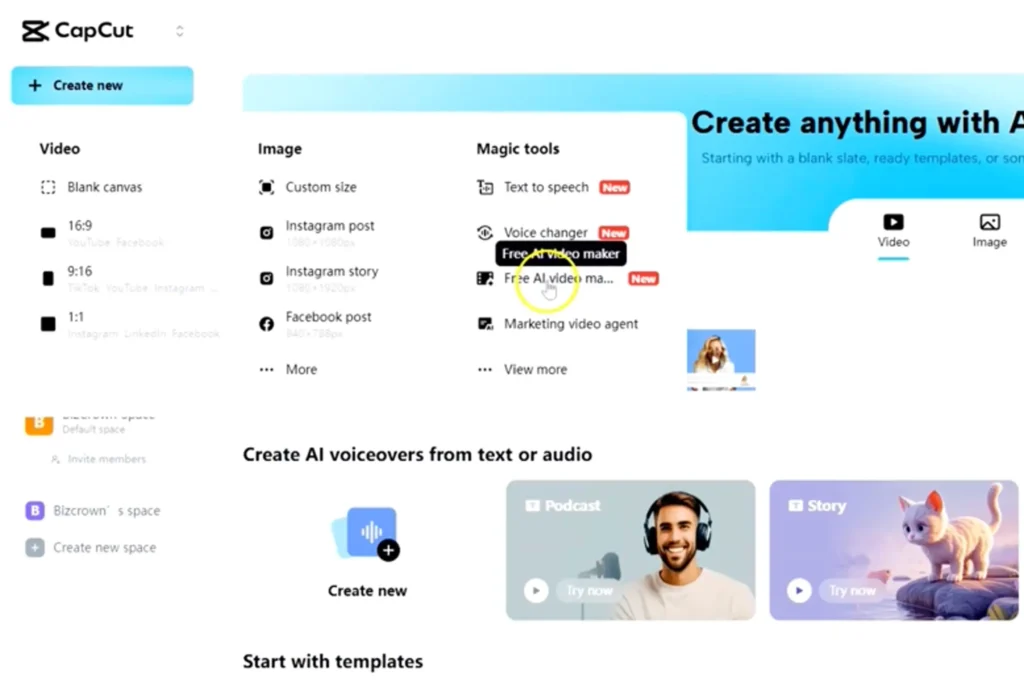
Navigate to the dashboard and select “Create New.” From there, choose the “Free AI Video Maker.” This specific tool is designed to automate the heavy lifting of script-to-video generation.
- Pro Tip: Bookmark this specific tool in your browser to reduce friction every time you need to create a new asset.
2. Style Selection and Aspect Ratios
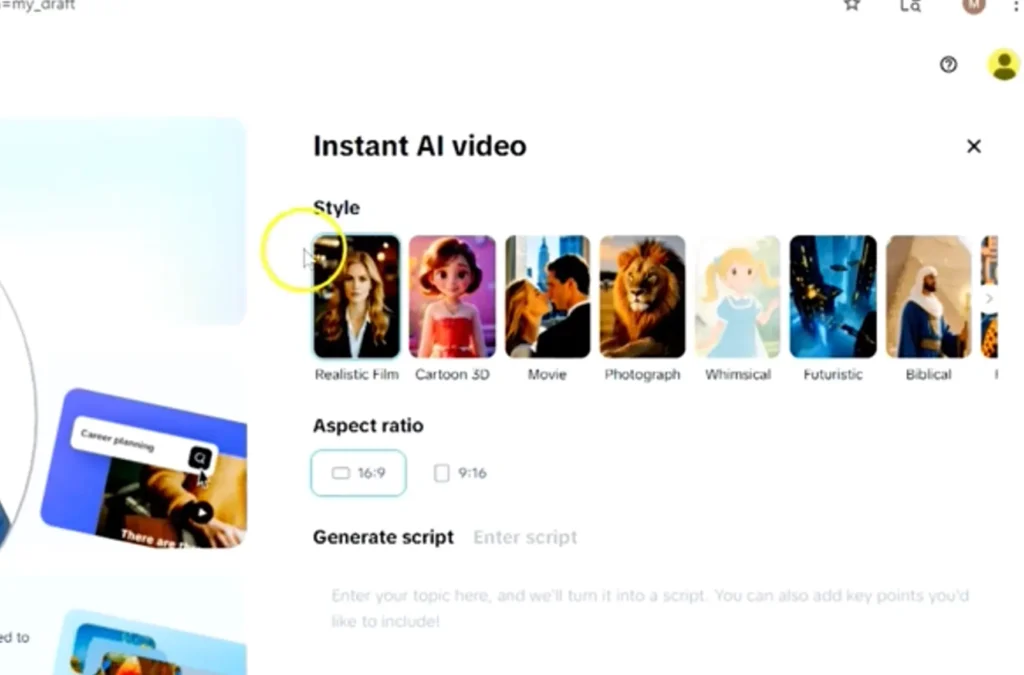
Before you generate content, you must decide where it will live. The platform allows you to choose the visual style and dimensions of your video.
For high-authority business ads, I generally recommend the “Realistic Film” style. It provides a polished, professional aesthetic that builds trust faster than cartoonish or overly stylized animations.
Next, choose your aspect ratio based on your distribution strategy:
- 16:9 (Landscape): Best for YouTube, website embeds, and TV-style placements.
- 9:16 (Vertical): Essential for mobile-first platforms like TikTok, Instagram Reels, and YouTube Shorts.
3. Engineering the Script (The Prompt)
This is where your strategy meets the technology. The quality of your output depends entirely on the quality of your input. You aren’t just typing a topic; you are engineering a prompt.
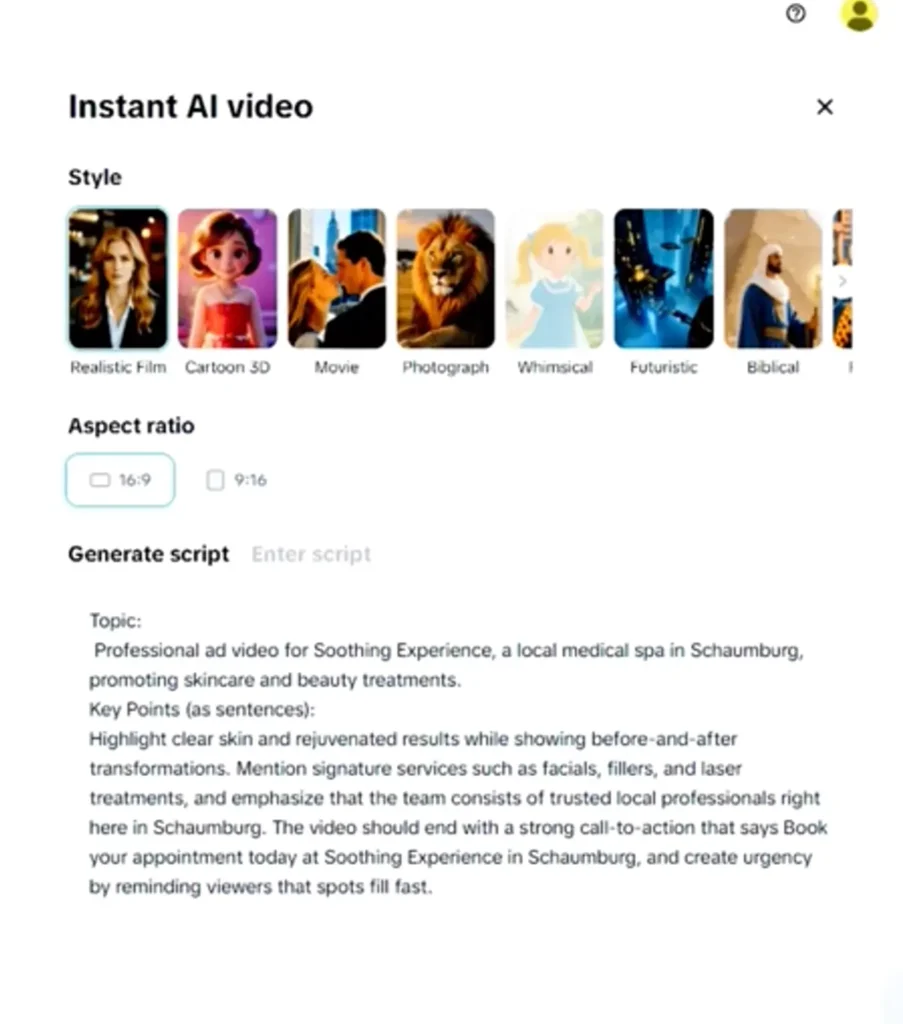
Enter your topic and key selling points clearly. Be specific about the pain points you solve and the benefits you offer.
Case Study Example:
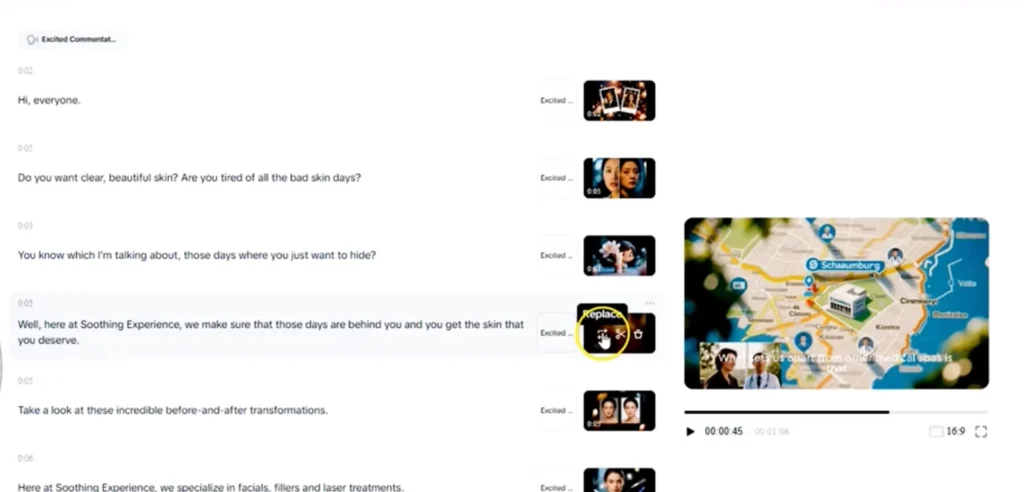
We recently created a prompt for Soothing Experience, a medical spa in Schaumburg. instead of just typing “medical spa ad,” we focused the prompt on specific outcomes: “Clear skin results, trusted local professionals, and non-invasive treatments.” This specificity guides the AI to select relevant stock footage and generate a script that actually converts.
4. Humanizing the Output
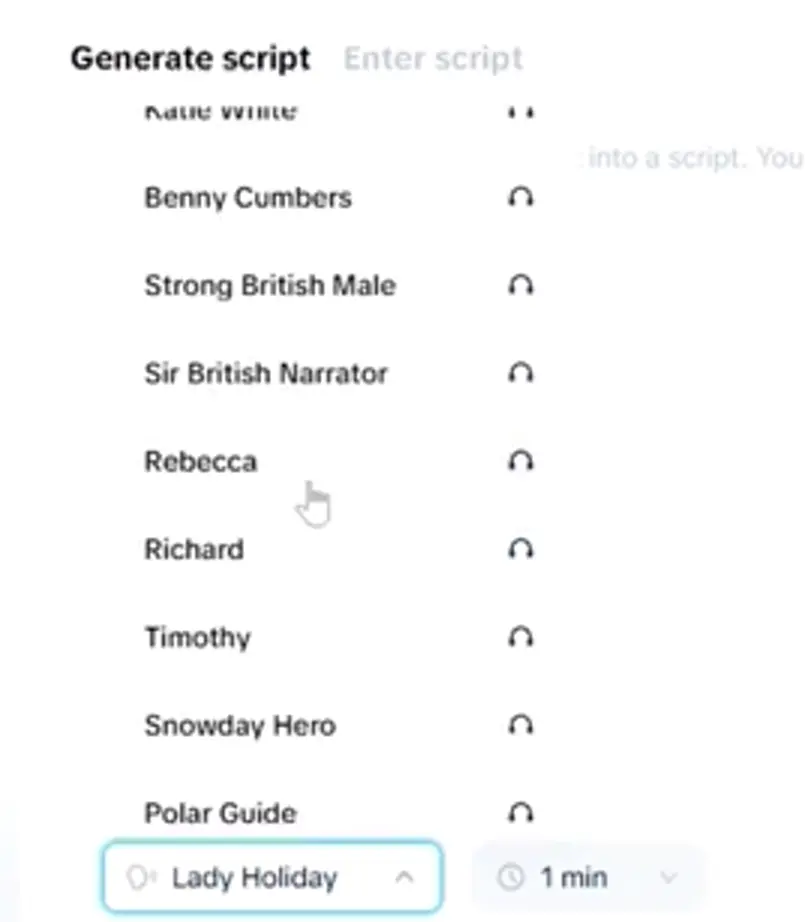
Once the script is generated, you need to give it a voice. CapCut offers various AI voiceovers, but the wrong choice can ruin the ad’s effectiveness.
Select a voiceover that matches your brand’s “vibe.”
- For high-energy commercial ads: An “Excited Commentator” or “Energetic Male/Female” voice can drive the necessary urgency for your Call to Action (CTA).
- For professional services: A “Reassuring” or “Narrative” voice often builds more trust.
5. Optimization and Refinement
AI-generated media is a starting point, not the finish line. A common mistake businesses make is publishing the raw AI output without review. To maintain your brand authority, you must refine the result.
Use the “Replace” tool to swap out generic AI-selected clips with your own professional photography or specific stock video that better reflects your brand’s visual identity. You can also enter the full CapCut Timeline to adjust color grading, contrast, and masking for a premium finish.
- Pro Tip: Always add your logo and brand colors to the final frame to ensure brand recall.
The Doctoral Insight: Why Speed to Market Matters
As a growth architect, I don’t just look at “how” to make a video; I look at how that video serves your Operational Consistency.
AI tools are levers. By reducing the time it takes to produce high-quality video from hours to minutes, you ensure your Content pillar is strong enough to support the traffic thresholds required for 7-figure revenue jumps.
In the digital economy, speed is a competitive advantage. Whether you are a medical spa in Schaumburg or a national franchise owner, your goal is to move 10x faster than the competition. When you eliminate the “Creation Lag,” you allow your marketing strategy to be proactive rather than reactive. This operational shift is often the difference between a business that plateaus and one that scales exponentially.
Get AI Content Tips in Your Inbox: Join the AI Content Creation Newsletter
Ready to Scale Your Visibility?
High-quality content is the fuel for your acquisition engine. Now that you have the tools to create it, you need the systems to manage and distribute it effectively.
Need an AI Content Workflow?
If you have a team but lack a system, BizCrown Media offers AIOps (AI Marketing Operations) implementation to build your internal content engine. We help you integrate tools like CapCut into a seamless workflow.
Ready to Engineer a Revenue Jump?
If your content is ready but you need the traffic, our Proburb SCA Engine can take these assets and use them to drive guaranteed traffic thresholds to your business. Stop guessing and start scaling.
Check out our CapCut guides for more helpful topics and for more social media tips and digital app tips, join our newsletter and follow us on social media and YouTube.
Contact us for Digital Marketing or Social Media support and assistance.
Dr. Mayo Adegbuyi is the president of BizCrown Media, where he assists businesses with digital marketing strategies and services to grow their awareness and revenue. He holds a Bachelor's in Fine Arts (Graphic Design), a Master's in Integrated Marketing Communications, and a Doctorate in Business Administration. With over 4 million YouTube views and extensive leadership experience, Dr. Mayo blends creativity, strategic insight, and cutting-edge techniques to accomplish business goals.